SkalaBIM

Not just easier. We do BIM for you.

Eight SketchUp plugins: LX, Vektra, IFC, Extract, Origo, Trough, Toggle and Spine.

IFC 4.3, LandXML, terrain, trenches and origin. Smart Explode ships inside the IFC import. Spine is now part of Skala BIM. Cut lives under Skala Pipe.
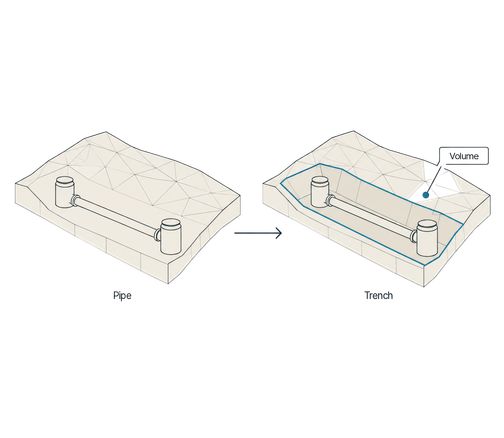
How to make trenches around pipes in SketchUp.

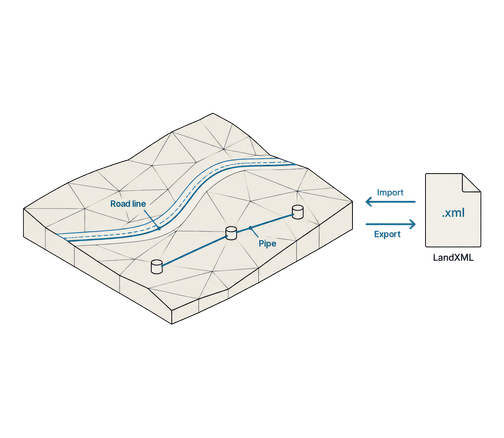
Skala LX in SketchUp: import of alignments, feature lines and pipe networks from LandXML.
01

Skala LX

What you get:
  • Import alignments, feature lines and pipe networks from LandXML.
  • Export to Infrakit, Xsite, Makin and Trimble Connect.
  • ISO 15143-4 with taxonomy, colours and validation.
Release notes
02

Skala Vektra

What you get:
  • Trenches for pipes and manholes, with a shared trough and sides up to the terrain.
  • A separate workflow for cable trenches.
  • Volume between surfaces is taken from the triangulation and written onto the trenches.
Release notes
Skala Vektra in SketchUp: trenches for pipes and manholes.
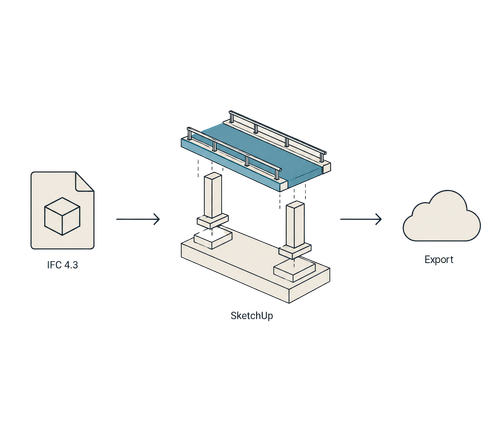
Skala IFC in SketchUp: import and export of IFC 4.3.
03

Skala IFC

What you get:
  • Import and export IFC 4.3 in SketchUp.
  • Smart Explode is built into the import, not a separate plugin.
  • Export can go straight to Trimble Connect.
Release notes
04

Skala Extract

What you get:
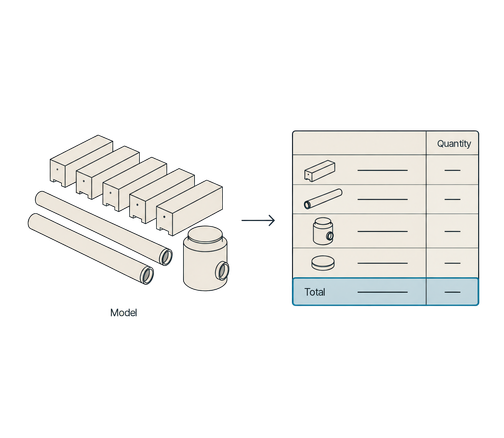
  • A quantity report with counts per component and group, material and tag.
  • Volume for solid objects, with a total.
  • A panel and a button on the Skala BIM toolbar.
Release notes
Skala Extract in SketchUp: a quantity report with counts, material and tag.
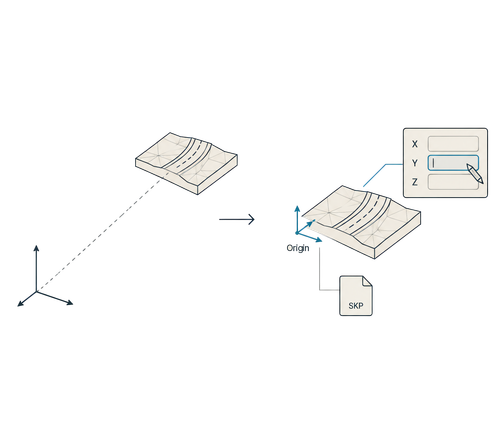
Skala Origo in SketchUp: the working origin in metres.
05

Skala Origo

What you get:
  • The working origin is kept through imports and stored in the SKP file.
  • Edit the active origin in metres.
  • Coordinate system and height system are read from the import file.
Release notes
06

Skala Trough

What you get:
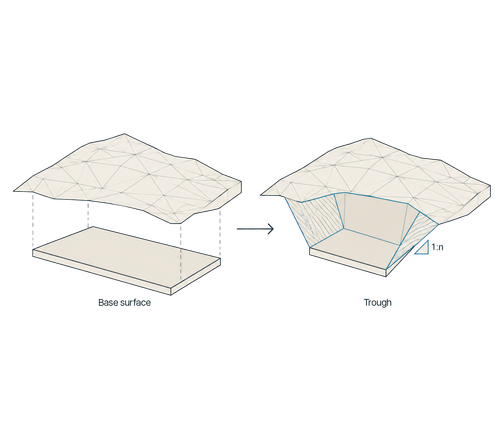
  • A trench slope from a bottom edge up to a top surface, at a slope of 1:n.
  • A shared trough up to the terrain from a finished bottom surface.
Release notes
Skala Trough in SketchUp: a trench slope from a bottom edge up to a top surface.
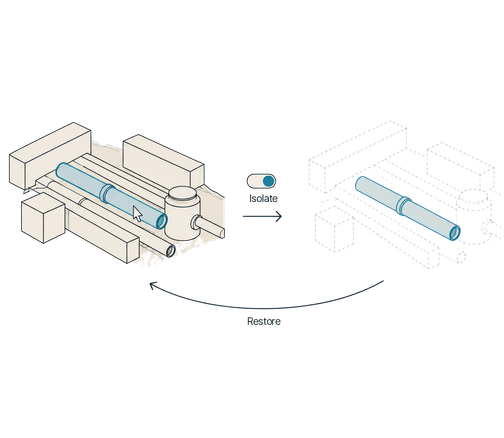
Skala Toggle in SketchUp: Isolate turns isolation on and off.
07

Skala Toggle

What you get:
  • Isolate (toggle) turns isolation on and off.
  • Turning isolation off restores the previous state.
Release notes
08

Skala BIM – Spine

What you get:
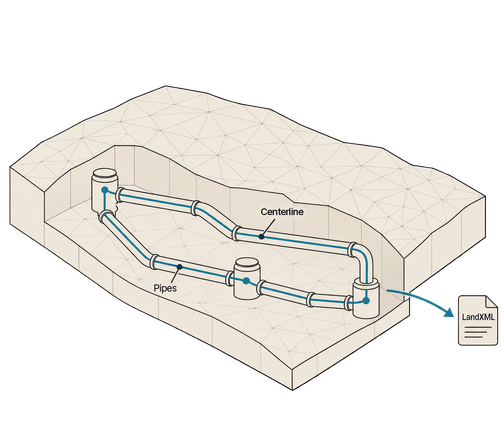
  • Spine is now part of Skala BIM. Centerlines from selected pipes and manholes.
  • Choose the reference line: top of pipe, pipe centerline or invert (inside bottom) – works on bends too.
  • Pipe Networks to LandXML 1.2 and ISO 15143-4, via Skala LX.
  • Connected pipes and bends become one welded curve per unbranched route.
  • Small gaps are repaired automatically (50 mm by default, up to 500 mm). Larger gaps need a preview and explicit approval.
  • Vektra runs the same centerline engine in the background.
Release notes
Skala BIM – Spine in SketchUp: centerlines from selected pipes and manholes.

How it fits together

In SketchUp

The tools live under Skala Studios in SketchUp.

Installed together

Skala Manage installs and updates the tool collections.

IFC 4.3 and LandXML

IFC export is IFC 4.3. LX reads and writes LandXML, including ISO 15143-4.

Release notes

Each plugin has its own notes for what changed, version by version.

Ready to see it in SketchUp?

Book a 15-minute demo, or look at the other modules.